Product documentation for manufacturers
Put every product’s manual, videos and warranty behind one QR code.
Customers scan once for setup steps, videos, troubleshooting, warranty registration and support on one mobile page, with no app and no account. You see what they search for, and you change any of it without reprinting the box.
- Free plan
- One product, forever. No card required.
- Customers
- Any phone camera. No app, no account.
- Languages
- Up to ten per product, from the same code.
- Pricing
- Per product. Never per scan.
Built for physical products
- Kitchen appliances
- Consumer electronics
- Tools & machinery
- Furniture & lighting
- Smart home
- Fitness equipment
- Automotive accessories
- Toys
Publish once. Print once. Scan for years.
Three steps, once per product. Whatever you change in the Console afterwards is what the next customer sees.
- ProductsConsole
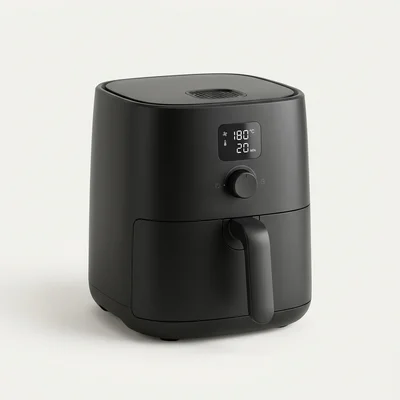 LiveAir Fryer AF‑500ID‑K7M4X9DraftBlender BX‑200Saved · version 4Published01
Create the page
Name the product, add the manual, videos, guides, FAQs and warranty. It gets its permanent ID at once; nothing is public until you publish.
- ID‑K7M4X902
Print the code
Download SVG, PNG or a print-ready PDF. A scan test decodes the artwork before it goes to the printer. Minimum 20 mm, with the ID underneath.
- 03
Customers scan
Any phone camera opens the page, in any of the languages you publish. No app, no account, no searching for a PDF.
Box → manual → warranty card → setup sheet → support number → website → YouTube → FAQ.
Product → scan → one page with all of it, kept up to date.
What a customer sees after the scan.
Not a folder of PDFs. The answers a customer needs, in the order they need them, on a page that loads fast on a phone signal.
Your brand
Logo, accent colour and a link to your website. Recognisably yours, hosted by us.
Notices
Firmware updates, recalls and important changes, shown before anything else.
Product and ID
Name, model and variants, with the printed ID. Customers can add their serial number.
Search
Across guides, FAQs, troubleshooting and the text inside your PDF manuals.
Start Here
The first-use steps in order, with the setup video.
Quick links
Manual, setup, how-to guides, troubleshooting, warranty and support.
Further down the page
- How-to guides with step images
- FAQs
- Warranty terms and product registration
- Specifications
- Spare parts and accessories with buy links
- Support contacts and service centres
Every page can be published in up to ten languages, including Hindi and Arabic. Customers switch language on the page; anything not yet translated falls back to your default language. Open the demo page
Print it once. Change everything else.
The QR code encodes a permanent address, not the content. Update the manual, swap the video or add a recall notice; the code on the box keeps working.
- Format
- Six characters, without O/0, I/1 or L, so it reads correctly on a label and over the phone: ID‑K7M4X9
- Encodes
- itemdocs.com/i/K7M4X9
- Files
- SVG, PNG and a print-ready PDF label. Bulk ZIP for a whole catalogue, with a CSV of product → ID → URL.
- Before print
- A scan test decodes your artwork, and a print approval records who cleared it for packaging.
- Fallback
- Scratched code? Customers type itemdocs.com/i/ and the ID printed underneath.
- Archived products
- Keep their address and show your support details, so old printed codes never lead nowhere.
See what customers look for, and what they can’t find.
One place to manage product information for the whole catalogue, and the first honest measurement of what customers struggle with.
What are customers looking for?
Share of searches- 01
Print less
Keep the legally required safety information in the box. Move the full manual, setup videos, registration and troubleshooting behind one label you can update without a reprint.
- 02
Catalogue scale
Import products from CSV or Excel, then download every QR code in one ZIP — SVG, PNG and print PDF — with a CSV index for the packaging team.
- 03
Close the gaps
Searches that found nothing become a to-do list. Write the guide once, and the next customer finds it instead of calling.
- More for manufacturers →
Priced per product. Never per scan.
A million scans is success, not a bill. Your first product is free forever, and every plan includes every feature.
| Plan | Products | Price | ||
|---|---|---|---|---|
| Free | 1 | 250 MB | $0 forever | Start free |
| Starter | 10 | 5 GB | $29 / month | Choose |
| Growth | 50 | 25 GB | $99 / month | Choose |
| Business | 250 | 100 GB | $299 / month | Choose |
| Pro | 1,000 | 250 GB | $799 / month | Choose |
| Enterprise | More than 1,000 | Unlimited | Custom | Talk to sales |
Variants with identical documentation count as one product. Draft, live and discontinued products count; archived products keep their address with a support-only page and don’t. Prices are set in US dollars and shown in your local currency at fixed rates, before tax; customers in India pay 18% GST. Full pricing and FAQs
Your content. Your customers’ privacy.
Hosted in Frankfurt, in the EU. Customers never need an account, and product pages set no cookies.
- 01
Nothing public before publish
Drafts and hidden content stay private. Only what you publish is on the page.
- 02
Customers stay anonymous
Analytics use daily-changing hashes and store nothing personal. Only customers who register a product share their details — with you.
- 03
You own the data
Export products, IDs and every content module as JSON, and analytics as CSV, at any time.
- 04
Built carefully
HTTPS everywhere, validated uploads, rate limits, tenant isolation on every query, team roles and an activity log.
Give every product a page that never goes out of date.
One product free, forever. No card required.